
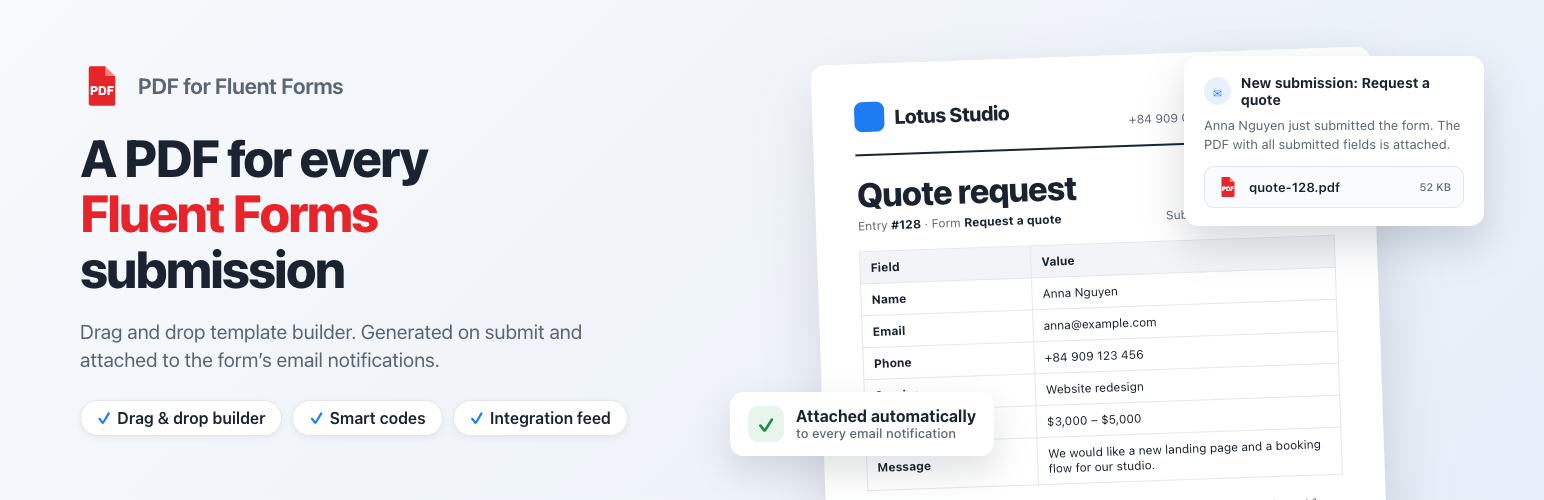
PDF for Fluent Forms turns every submission of a Fluent Forms form into a PDF document: an invoice, a quote, a registration, a contract, a certificate or any document you design. Build the layout with the drag and drop template builder, insert the submitted values with Fluent Forms smart codes such as {inputs.email}, {inputs.names.first_name} or {all_data}, and the plugin generates the PDF on submit and attaches it to the form’s email notifications. Everything is configured as a native Fluent Forms integration feed – no coding required.
MAIN FEATURES
- Drag and drop PDF template builder – build professional invoices, quotes, registrations, contracts and certificates from form submissions without writing code.
- Native Fluent Forms integration – the PDF is a feed in Settings & Integrations > Configure Integrations of the form, like any other Fluent Forms integration.
- Attach the PDF to the email notifications – generated once per submission and attached to the form’s notifications, to the admin and to the user.
- Choose the notifications that get each PDF – tick only the notifications that should carry it (e.g. invoice to the customer, summary to the admin).
- Multiple PDF feeds per form – several templates for one form, each with its own notifications, file name and password.
- Smart codes everywhere – any Fluent Forms smart code works in the template, in the file name and in the password: {inputs.*}, {all_data}, {form_title}, {submission.id}, {submission.created_at}, {user.*}, {wp.*}…
- Per field of name / address inputs – {inputs.names.first_name}, {inputs.address.city}…
- Conditional logic on the feed – generate the PDF only when the submission matches your conditions.
- File name and password – name the file with smart codes such as invoice-{submission.id} and protect it with a password.
- Save a copy to Dropbox – every generated PDF can be uploaded to your Dropbox account.
- Headers, footers and watermarks – branding, page numbers, document metadata, text or image watermarks.
- Conditional logic in the template – show or hide any block depending on the submitted values.
- Live preview of changes, RTL support, font manager, custom paper size, DPI and orientation, multi language support, signature fields.
- Works with Fluent Forms free and Fluent Forms Pro.
ELEMENTS
FLUENT FORMS ELEMENTS
- All submitted fields: {all_data} prints every submitted field as a table with the field labels; {all_data_without_hidden_fields} skips the hidden ones.
- Field codes: pick your form in the editor and the shortcode panel lists every field of that form – {inputs.email}, {inputs.subject}, {inputs.message}, sub fields of name and address inputs, checkboxes, files, repeaters, payment fields…
- Submission codes: {form_title}, {submission.id}, {submission.serial_number}, {submission.created_at}, {submission.source_url}, {user.display_name}, {user.user_email}, {wp.site_url}…
BASIC ELEMENTS
- Layouts: 11 grid layouts (1 to 7 columns).
- Text / HTML: add text, HTML or smart codes and customize font, size, color, background, link, padding, heading.
- Image: add an image (your logo, a stamp, a signature) and customize URL, alt, alignment, width, height, padding.
- Divider: a single line divider with height, color and padding.
- Spacer: a space between elements with height, background and padding.
- Table: a styled table for lists and reports.
- Barcode / QR code: scannable from a phone – print the submission number on tickets, vouchers and badges.
- Signature: a signature line or the signature submitted in the form.
- Rotate text, page break, PDF: rotated labels, manual page breaks and merging an existing PDF into the document.
Related plugins

Fluent Forms Perfex CRM Integration
The plugin has the ability to import/capture customers from Fluent Forms! To automatically add/update eForms submissions to your Perfex CRM

Fluent Forms PDF Customizer
Generate a PDF of any WordPress form submission. Export any submission as a PDF, or attach it to an email and send a copy to whoever needs one!
Reviews
There are no reviews yet.