
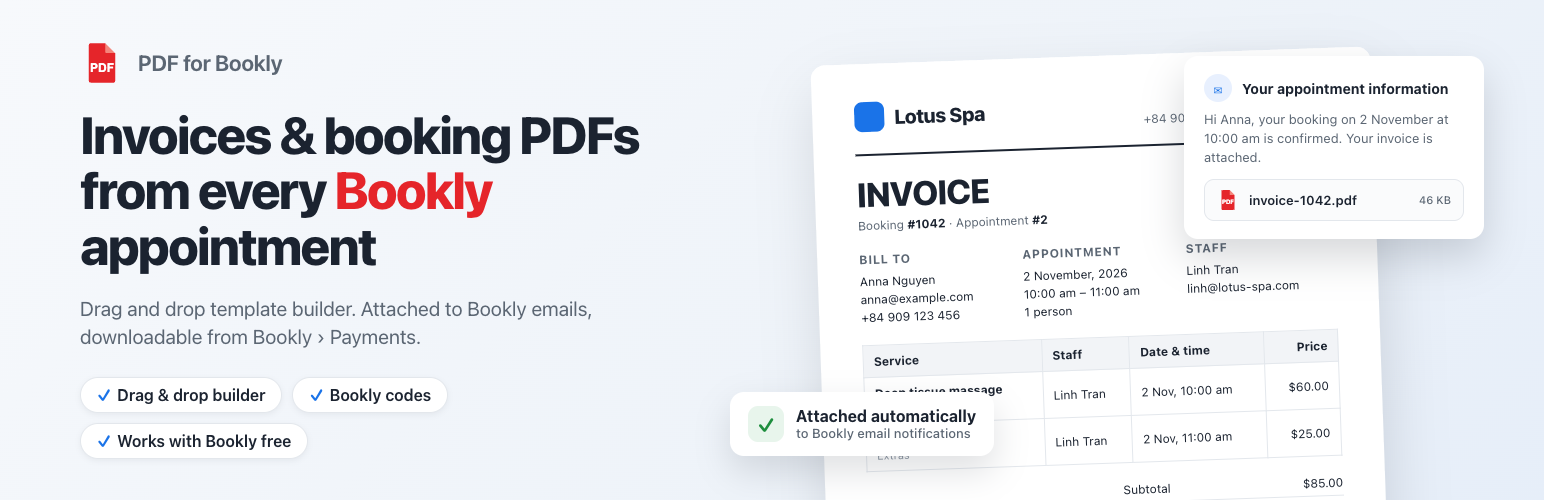
PDF for Bookly turns every Bookly appointment into a PDF document: an invoice, a booking confirmation, a ticket, a voucher or any document you design. Build the layout with the drag and drop template builder, insert the appointment data with Bookly codes such as {client_name}, {service_name}, {appointment_date} or {total_price}, and the plugin attaches the generated PDF to the Bookly email notifications you choose. Customers and staff receive the PDF automatically, administrators download it from Bookly > Payments, and with Bookly Pro your customers get a “Download PDF” button on the last step of the booking form. No coding required and nothing to change in your booking form.
MAIN FEATURES
- Drag and drop PDF template builder – build professional invoices, confirmations, tickets and certificates from Bookly appointments without writing code.
- Attach the PDF to Bookly email notifications – tick the notifications that should carry it: new booking (customer / staff), cancelled, rejected, reminders, combined booking and any notification you add later.
- Different PDF template per notification – e.g. an invoice for the customer and a work order for the staff member.
- Download PDFs from Bookly > Payments – per payment, for the selected payments or for the whole filtered list, exactly like the Bookly Invoices add-on.
- “Download PDF” button on the booking form – with Bookly Pro, customers download their PDF right after booking; switch and label are managed in Bookly > Appearance.
- {pdf_link} code – put a download link of the PDF in the body of any Bookly notification (Bookly Pro).
- Bookly Cart ready – the Bookly Items block lists every service of the order and the totals are calculated for the whole order.
- Preview with real appointments – pick any appointment (or sample data) in the editor and see the PDF with real values.
- File name and password – name the file with codes such as invoice-{booking_number} and protect it with a password.
- Save a copy to Dropbox – every generated PDF can be uploaded to your Dropbox account.
- Headers, footers and watermarks – branding, page numbers, document metadata, text or image watermarks.
- Conditional logic – show or hide any block depending on the appointment data.
- Live preview of changes, RTL support, font manager, custom paper size, DPI and orientation, multi language support, signature fields.
- Works with the free version of Bookly and with Bookly Pro.
ELEMENTS
BOOKLY ELEMENTS
- Bookly Items: a table with one row per booked service – service, category, staff, date, time, duration, persons and price. Switch any column on or off and style the header, rows, cells and borders.
- Bookly Totals: subtotal, tax, total, paid and amount due of the order. Switch any row on or off.
- Bookly codes: customer, appointment, service, staff, payment and company data – {client_name}, {client_email}, {client_phone}, {appointment_date}, {appointment_time}, {appointment_end_time}, {booking_number}, {service_name}, {service_price}, {service_duration}, {staff_name}, {staff_phone}, {number_of_persons}, {total_price}, {total_tax}, {amount_paid}, {amount_due}, {payment_type}, {payment_status}, {company_name}, {company_address}, {company_logo}, {custom_fields} and more.
BASIC ELEMENTS
- Layouts: 11 grid layouts (1 to 7 columns).
- Text / HTML: add text, HTML or codes and customize font, size, color, background, link, padding, heading.
- Image: add an image (your logo, a stamp, a signature) and customize URL, alt, alignment, width, height, padding.
- Divider: a single line divider with height, color and padding.
- Spacer: a space between elements with height, background and padding.
- Table: a styled table for lists and reports.
- Barcode / QR code: scannable from a phone – print the booking number on tickets, vouchers and gift cards.
- Signature: a signature line or image.
- Rotate text, page break, PDF: rotated labels, manual page breaks and merging an existing PDF into the document.
Related plugins

Bookly Perfex CRM
DEMO VIDEO The plugin has the ability to import/capture customers from Bookly orders! To automatically add/update Bookly orders to your Perfex CRM! Have full control over what is sent, and when it is sent to get all the data you need. Features Easily integrate your Bookly orders with Perfex CRM Customers, Contacts, Staffs, Leads, […]
Reviews
There are no reviews yet.