
Purpose: Detailed instructions on how to proactively change the primary payment method or configure a backup payment method (credit card/e-wallet) to ensure uninterrupted subscription renewal cycles.
Change the Primary Payment Method
Applicable when your current card expires, gets blocked, bank details change, or you want to transfer all subscription transactions to a new payment method.
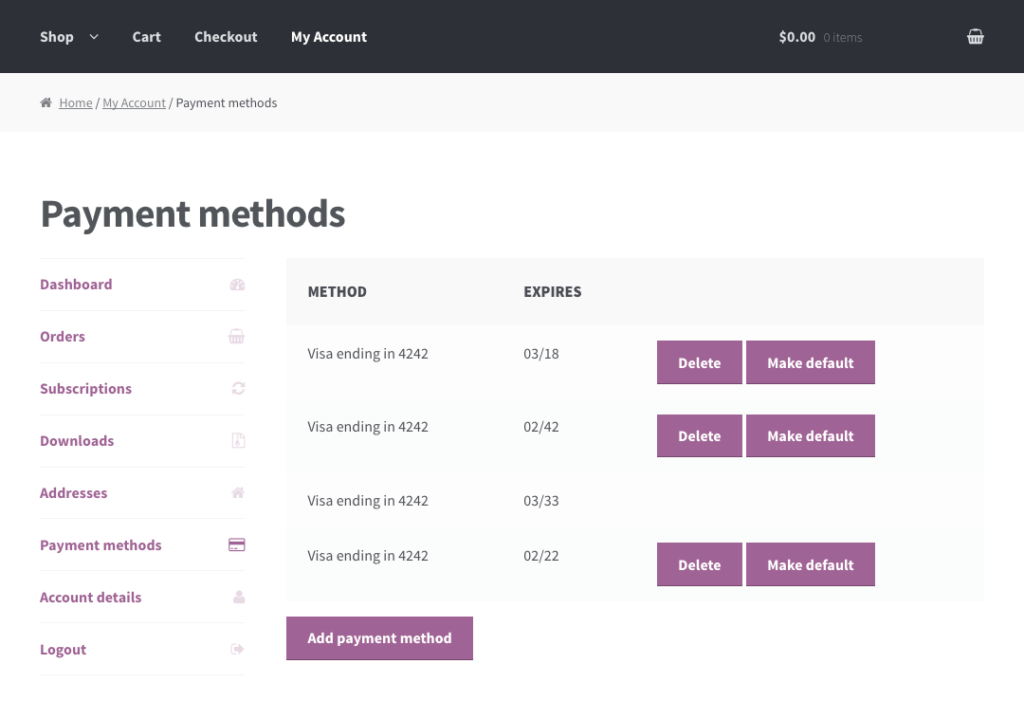
The customer can manage saved payment methods from the My Account > Payment Methods page.
Set a default payment method for future transactions.
Add a Backup Payment Method
Applicable to enable automatic alternative billing if the primary method fails (due to insufficient funds, bank downtime, etc.), safeguarding your uninterrupted access to the service.
Customers can add new payment methods to their account at any time by going to My Account > Payment Methods, clicking the “Add payment method” button, and filling in the information for the new method.
After adding a new payment method, a customer may wish to set this method as the default for future purchases. Customer’s can set the default payment method by clicking the “Make Default” button next to the applicable payment method.
Automatic Processing Mechanics at Renewal:
- Step 1: Renewal Due Date Trigger
- The system monitors the subscription cycle and automatically triggers the billing process exactly on the scheduled renewal date.
- Step 2: Primary Payment Attempt
- The system automatically attempts to charge the Primary Card saved in the customer’s account.
- If Successful: The subscription status remains Active, a renewal confirmation email with an invoice is sent, and the process ends.
- If Failed / Declined: The system automatically moves to Step 3.
- Step 3: Backup Payment Attempt (Failover)
- If the primary card fails (due to expiration, insufficient funds, or bank rejection), the system immediately attempts to charge the configured Backup Payment Method (Secondary Card/PayPal).
- If Successful: The subscription is successfully renewed with zero service interruption. Simultaneously, the system triggers an automated email notifying the customer about the primary card failure so they can update it.
- If Failed Again: The system moves to Step 4.
- Step 4: Grace Period & Dunning Process
- When both primary and backup methods fail, the system officially triggers the Overdue & Dunning Billing Process.
- The subscription status changes to Past Due or On Hold.
- The system will automatically retry charging the cards according to a pre-set schedule (e.g., retry after 3 days, 5 days, 7 days) and send urgent dunning emails prompting the user to update their payment details before the service is permanently canceled.