
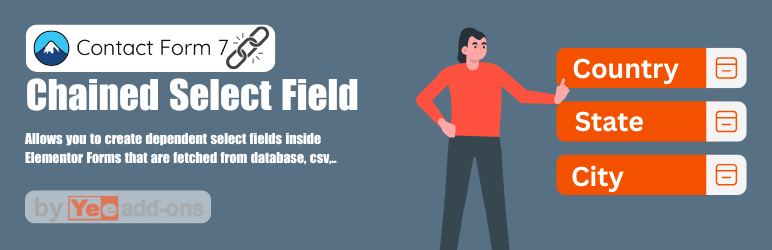

Chained Select field for Contact Form 7 is a feature in Contact Form 7 where the options in one dropdown field change dynamically based on the user’s selection in a previous field.
This creates a series of interdependent select fields, helping simplify the selection process by only showing relevant options. A common example is selecting a country, then a state/province, then a district, or choosing a car brand, then the model, then the production year.
How It Works
-
-
Dependent fields: Each select field is linked to the previous one. When the user chooses an option, the next field is automatically filtered to show only matching values.
-
Multiple Data Sources Supported:
-
CSV File: Load options from a CSV file using rows and columns to define relationships.
-
Database: Fetch options dynamically from your database (e.g., MySQL) using custom queries.
-
Manual Input: Manually enter your hierarchy (e.g., Brand → Model → Year) directly in the settings.
-
Google Sheets: Pull live data from Google Sheets to generate dynamic options.
-
-
Use Cases
-
Filtering complex datasets: Helps users navigate large datasets without being overwhelmed.
-
Real-world examples:
-
Country → State/Province → District
-
Car Brand (Toyota, Honda) → Model (Camry, CR-V) → Production Year
-
Department → Employee
-
Topic → Subtopic
-
Benefits
-
Improved user experience: Users can complete forms faster and more efficiently.
-
Higher performance: Reduces irrelevant options, allowing users to focus only on what’s necessary.
-
Flexible: A versatile tool suitable for many types of forms and applications.
This add-on is also available in the Contact Form 7 Add-on Bundle – Save up to 95%
Related plugins

Contact Form 7 – Email Verification – OTP
Ensure users provide valid and genuine contact information by requiring email verification or OTP input before form submission.

Contact Form 7 Recover Abandoned Forms
The emails are customizable to entice your customers to continue to submit.

Contact Form 7 Conditional Logic Emails and Fields Pro
Conditional logic allows you to show or hide form fields, sections, or entire form sections based on certain conditions or user input. It enables you to create dynamic and interactive forms that adapt to the user’s selections or responses.

Contact Form 7 Color or Image Swatches
This plugin allows you to create custom product fields, including color or image swatches. This enhances the user experience and allows users to make selections based on visuals rather than plain text.
Nancy Adams (store manager) –
We needed a way for customers to select a Car Make $\rightarrow$ Model $\rightarrow$ Year on our contact form, and this plugin handled it flawlessly. Setting up the cascading, dependent dropdowns was incredibly easy. It populates data instantly without reloading the page, keeping the user experience super smooth. If you use CF7 and need conditional select fields, this is the gold standard.
Lisa Nelson (store manager) –
I’ve used this plugin on several client sites for location selectors (Country $\rightarrow$ State $\rightarrow$ City). It is extremely lightweight, fast, and does not bloat the site with unnecessary scripts. The data structure for setting up the chains is straightforward, and it works perfectly with large datasets. A brilliant extension that saves hours of custom JavaScript coding!
Betty Baker (store manager) –
The functionality of Chained Selects is top-notch. It does exactly what it promises—allowing you to build complex, multi-level dependent dropdown menus directly inside Contact Form 7. However, I’m deducting one star because of customer support. I ran into a minor conflict when trying to style the selects using a specific premium corporate theme, and it took support almost 3 days to get back to me with the proper CSS hook. The plugin itself is 5-star quality, but the helpdesk response time definitely needs a boost.